Home Automation eHouse can be controlled from Android system acoustically using eHouse software libraries { eHouse home automation – Software }. Android platform has built-in voice analyzer (speech recognition) . Control of {eHouse Automation } is done using the built-in system Android speech recognizer , device for speech control (speech recognition) .
This article describes how a few dozen lines of source code allows the voice control of eHouse system from Android smartphones or tablet.
{ Home Automation eHouse – Control devices of the system and its management} { Home Automation eHouse – Management } Compatible with other applications eHouse { Building Automation eHouse – Gallery of Software Control }
In this example, the speech recognition for eHouse Building Automation , starts with a short press of hardware button: search
(Search) . Long press the hardware associated with searching the web browser permanently.
Voice control works as follows:
- Start the speech analyzer (recognition) by pressing the button for short time
- Shows a dialog for speech recognition “device name”
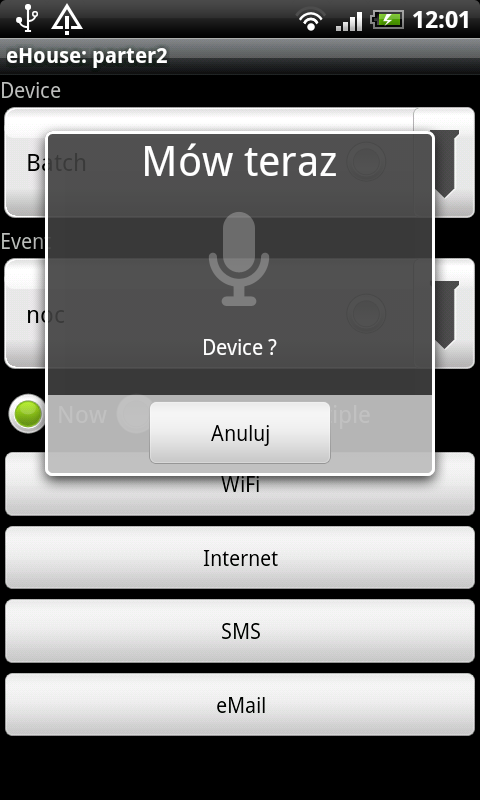
- Loud , slowly , without accents and clearly pronounce the name of the system controller eHouse . { Building Automation eHouse – Drivers }
- Speech Recognition command compares the recorded list of devices on the form ” RunEvent ” in the case of finding the appropriate words passes to the next step (otherwise interrupting) .
- Shows a dialog of speech recognition for the event name for the selected device .
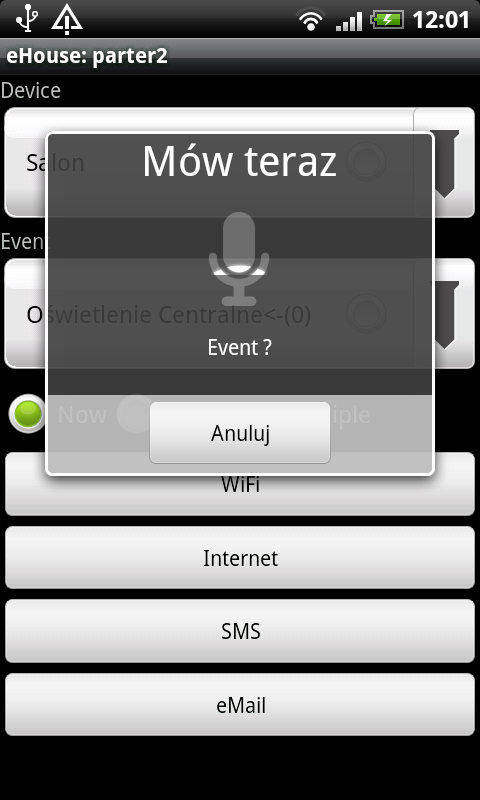
- The comparison is processed by analyzing 3 methods (comparison carefully , comparison of the names of the output and comparing partial {content from speech recognition in the event list}) . If you find an appropriate event it goes to the next step .
- Shows a dialog speech recognition commands for transmission method eHouse system (WIFI , SMS , INTERNET , EMAIL)
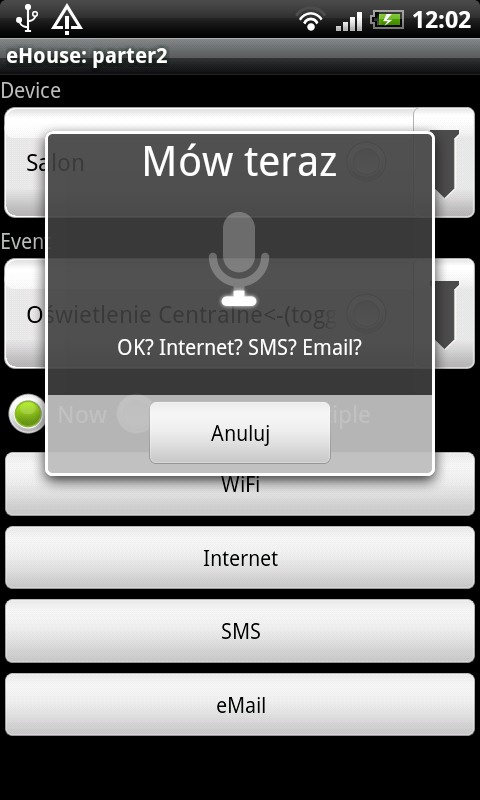
- Acoustic response of the analyzer of speech is compared to the tables containing the phonetic text for each method of transmission . Added and the event is automatically sent in the event of full compliance . In the case of partial compliance event name event next is chosen from a list , But it is not sent automatically.
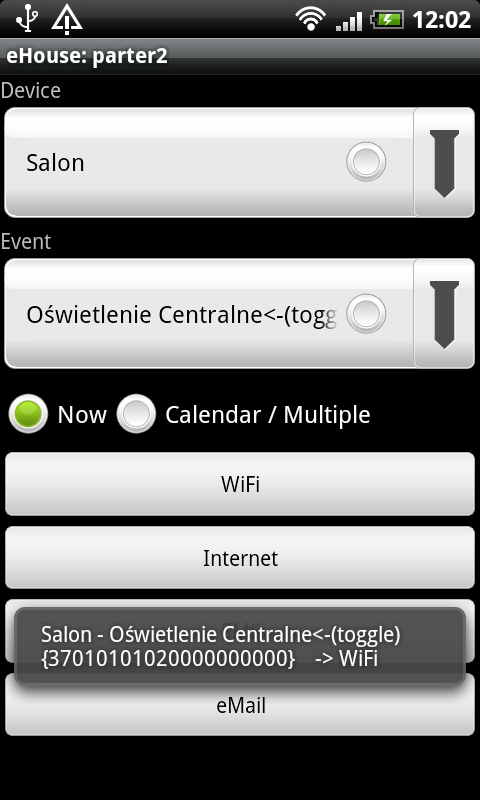
Parts of the application source code: Control eHouse Building Automation with a Voice – Android source code
More information about the system eHouse:
Controllers for eHouse home automation – lighting control in Rooms
ehouse home automation – central heating control
ehouse home automation – control of blinds, gateways, gates and other drives eHouse home automation – control gates
Economics and Ecology eHouse Home Automation – Savings
Securing the house eHouse Home Automation – Security , Alarm , blinds , Gateway
Self-installation of the system: Home Automation eHouse – Independent System Design Building Automation eHouse – Self-Installation