Sending events from Android Software – Choosing event from a list form
This article describes how to write software for eHouse Building Automation system control from devices working on Android platform . They can be:
- Tablets
- Mobile Panels
- GSM Mobile Phone
- SmartPhone
- TouchPhone
- PDA
- Palmtop
eHouse Building Automation can be controlled { Home Automation – Control By selecting the device} { Building Automation eHouse – Controllers }, and events from the list .
The event is automatically sent (after pressing “WiFi” ) via WiFi or the Internet if the Internet connection option is enabled.
If there is no TCP / IP communication (WiFi , INTERNET (GSM , EDGE , 3G , 4G or another dependent on the type of control panel) event is added to the queue , that can be sent manually to the controllers, with one of the available methods supported by eHouse system and possible to achieve from the panel communication links and protocols .
For this purpose “RunEvent.class” class was created , which fully implements following items itself:
- Loads a list of devices (controllers) and their settings from configuration files generated from “eHouse.exe”
- Loads a list of events for each eHouse controller
- Allows you to select any of the events from the list to be sent to the eHouse system
- Send events to the controller by pressing “Send”
- Send events to the controller by pressing “Internet” via external TCP/IP link
- Send events to the controller by pressing “SMS” via Simple Text Message protocol
- Send events to the controller by pressing ” eMail ” via eMail for emailgate.exe application.
- It also interracts with speech recognition and voice control of eHouse system directly
Using this method, the control does not require the creation of complex visualization and is the simplest method for remote control of eHouse intelligent home system.
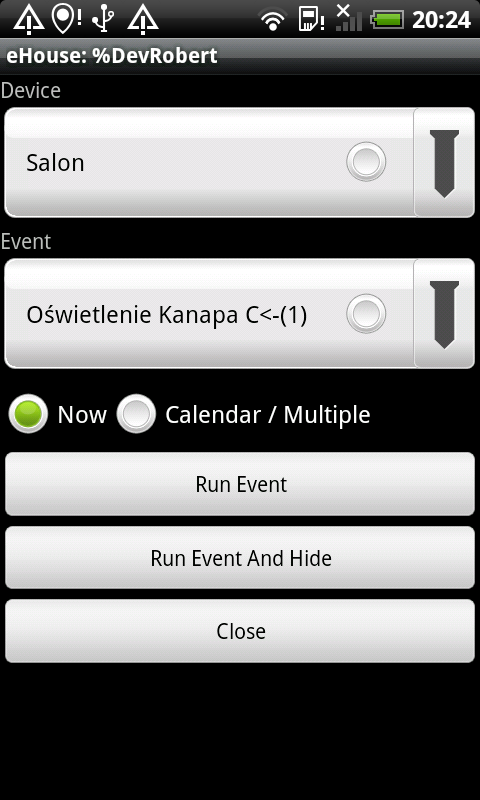
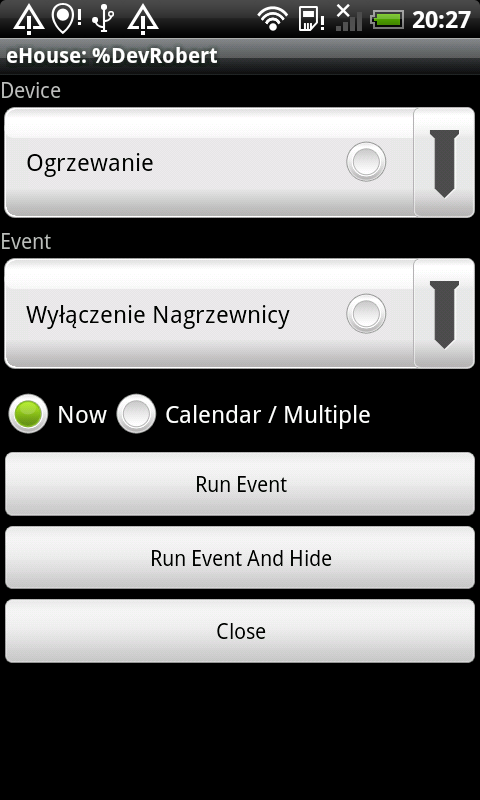
Screenshots of the form:
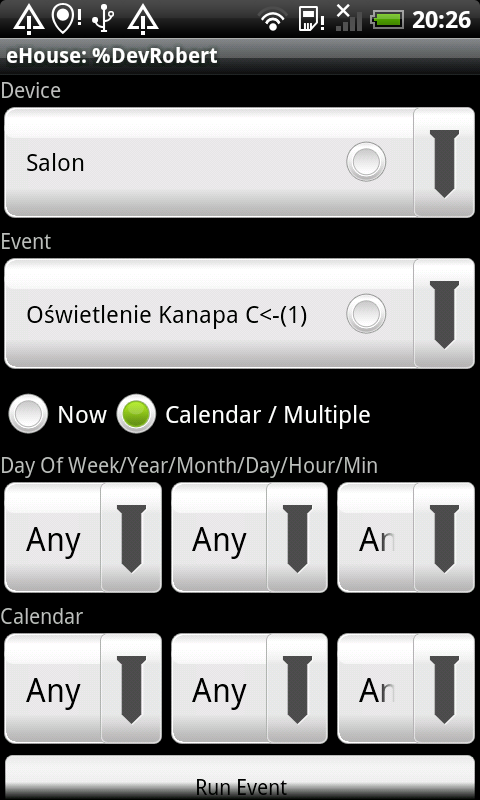
 Creates calendar lists events and multiple executions.
Creates a list of devices (drivers) –
with suffix ” – E ” ordinary events ,
with suffix ” – P ” Event – Programs ,
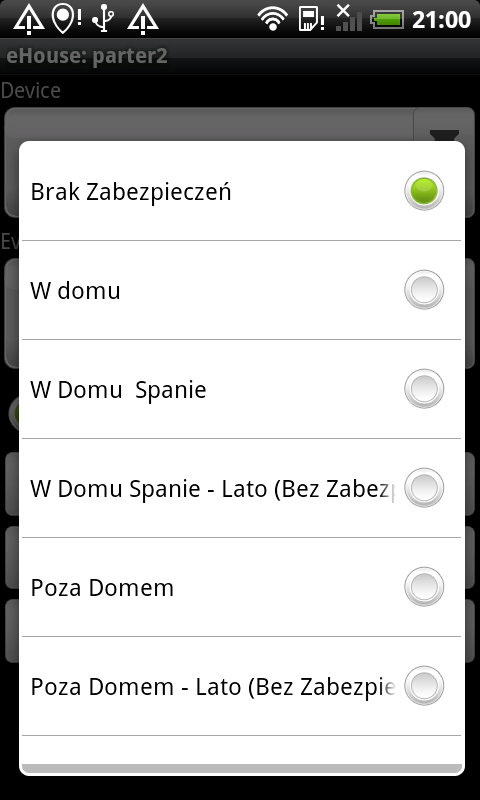
without suffix – all events 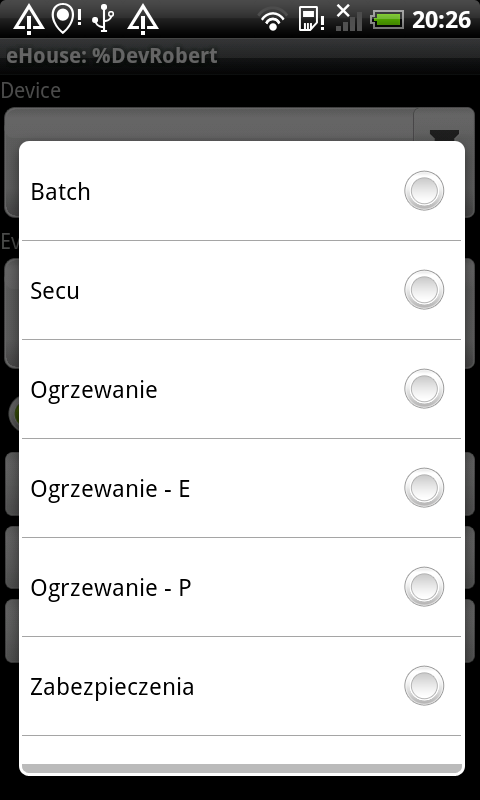
Creates a list of events for the security controller CommManager (Zones of Protection and Security) .
 Sending events over WiFi , Internet (3G , GPRS , 4G , EDGE or other link, depending on availability) when you press “Run Event” or “Run And Hide Event” .
Descriptions are taken from a text configuration file that you can create for other language versions or their own individual names .
Using the class requires only a few lines of source code .
Sample source code to control a eHouse smart home from touch panels , smartphones , Android Tablet .
Also uses visualization, to show how to integrate with the form control
EHouse Home Automation system control of from Android form – application source code
For more information:
EHouse home automation – Software for control eHouse system
Home Automation – Management with other operating systems
eHouse Controllers:
home automation – lighting, heating control in room
home automation – central heating control
home automation – control of blinds , gates
home automation – control gates , rollers, drives version eHouse1
Other Information: Home Automation Savings Economics and Ecology
Home Automation and Flats
Home Automation – Security Alarm and control the shutter drives , gates
eHouse Building Automation – Gallery of Software Control Windows , Java , Windows Mobile , Java Mobile , FTP , Website
Home Automation eHouse – Design DIY
Building Automation eHouse – Self-Installation eHouse system